
In recent releases of Ubuntu, the installation experience has changed significantly. Starting with Ubuntu 24.04, the default server ISO uses the new Subiquity-based live installer, and the traditional text-based “mini.iso” workflow is no longer provided in the same way.
If you’re provisioning virtual machines via automation — especially on a headless host using KVM and virt-install — this can be frustrating. By default, virt-install may attempt to open a graphical console, pushing you toward VNC or SPICE even when you prefer a pure terminal-based workflow. If you open the virt-install console, you’ll see something like:
WARNING CDROM media does not print to the text console by default, so you likely will not see text install output. You might want to use --location. See the man page for examples of using --location with CDROM media
This guide shows how to install Ubuntu 24.04 LTS using the live server ISO entirely from the terminal, launching the installer kernel and initrd directly from the ISO.
Define Virtual Machine Parameters
Start by defining the VM configuration. The block below is fully editable — adjust CPU, RAM, disk size, and paths to fit your environment before running it.
export VM_NAME="ubuntu-vm"
export VM_ISO="https://releases.ubuntu.com/24.04.3/ubuntu-24.04.3-live-server-amd64.iso"
export VM_OS="ubuntu-stable-latest"
export VM_IMG="/var/lib/libvirt/images/${VM_NAME}.qcow2"
export VM_CORES=2
export VM_DISKSIZE=50
export VM_RAMSIZE=4096
export VM_LOCAL_ISO=/tmp/ubuntu.iso
| Variable | Purpose |
|---|---|
VM_NAME |
Name of the virtual machine in libvirt |
VM_ISO |
Official Ubuntu 24.04 live server ISO |
VM_OS |
OS variant for optimization |
VM_IMG |
Path to the VM disk image |
VM_CORES |
Number of virtual CPUs |
VM_DISKSIZE |
Disk size in GB |
VM_RAMSIZE |
RAM in MB |
VM_LOCAL_ISO |
Local ISO download path |
Download the Ubuntu 24.04 ISO
curl -o "$VM_LOCAL_ISO" -L "$VM_ISO"
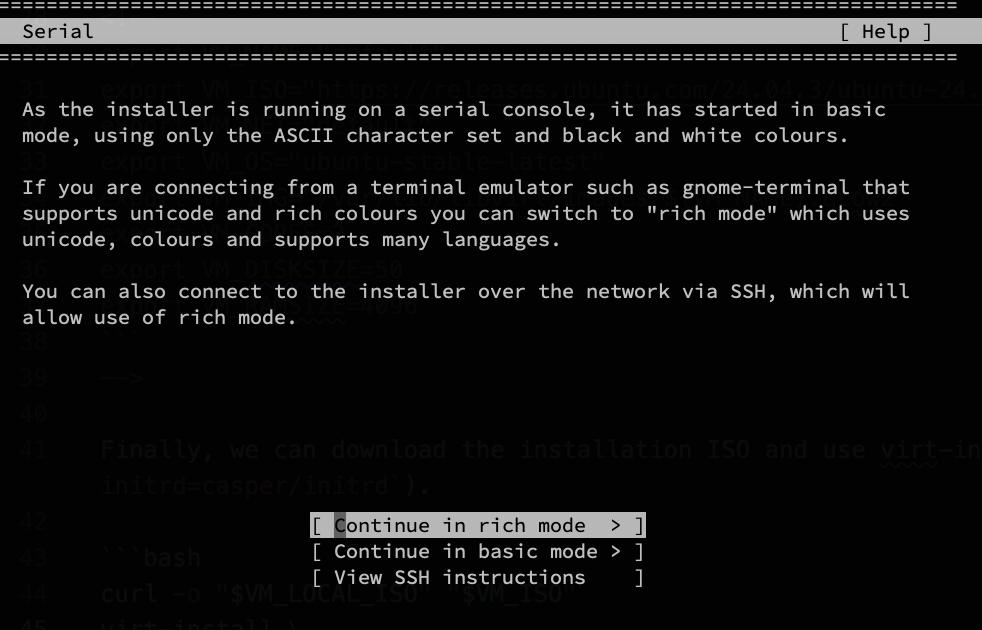
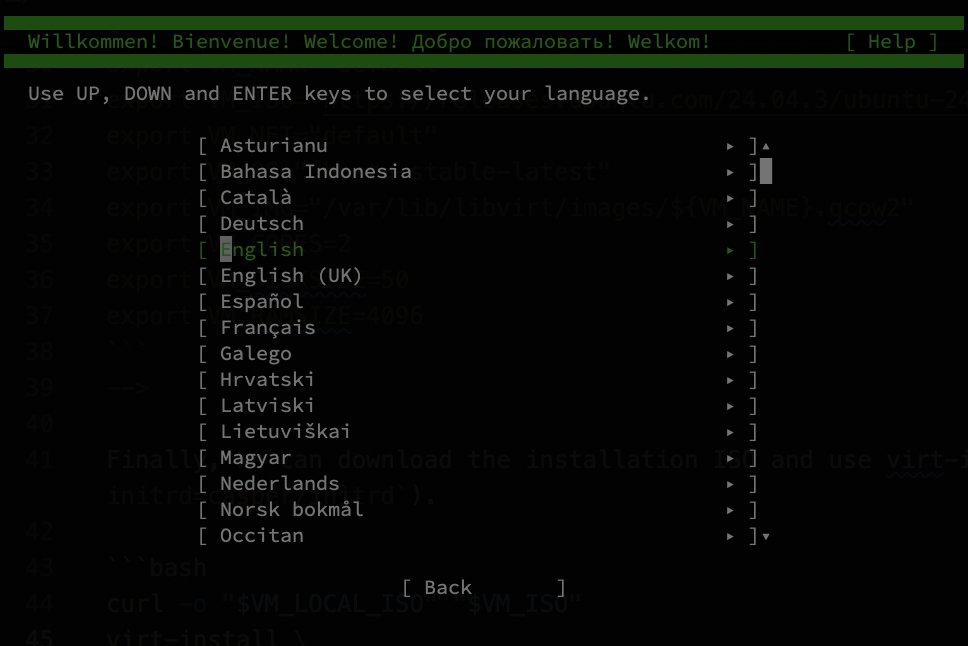
Install Ubuntu 24 Using Terminal Installer
Here’s the key part: we instruct virt-install to boot directly from the installer kernel and initrd inside the ISO.
virt-install \
  --virt-type kvm \
  --name "$VM_NAME" \
  --os-variant "$VM_OS" \
  --disk path=${VM_IMG},size=${VM_DISKSIZE},bus=virtio,format=qcow2 \
  --memory "$VM_RAMSIZE" \
  --vcpus "$VM_CORES" \
  --graphics none \
  --console pty,target_type=serial \
  --location ${VM_LOCAL_ISO},kernel=casper/vmlinuz,initrd=casper/initrd \
  --extra-args="console=ttyS0,115200n8 --- console=ttyS0,115200n8"
Ubuntu VM
This might also interest you